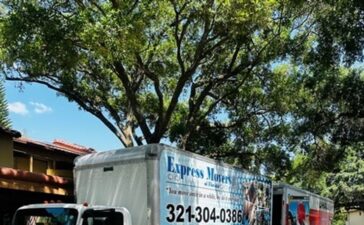
Relocating as a remote worker offers flexibility that traditional jobs often don’t, but it also brings unique challenges. Balancing work responsibilities with moving logistics requires careful planning to avoid downtime, missed deadlines, or productivity loss. With the right strategy, you can relocate smoothly while keeping your work life stable and uninterrupted.
This guide provides practical, remote-friendly relocation tips to help you move efficiently without compromising your professional rhythm.
Evaluate Your Work Requirements Before Moving
Your job setup should guide many moving decisions.
Key Work Factors to Consider
- Internet speed and reliability needs
- Time zone alignment with your team
- Required work hours and availability
- Equipment and workspace requirements
Understanding these essentials helps you choose a location that supports your work style.
Choose a Location That Supports Remote Work
Not all locations are equally remote-friendly.
What to Look for in a New Location
- Reliable high-speed internet providers
- Quiet neighborhoods or home layouts
- Access to coworking spaces if needed
- Time zone compatibility
Prioritizing connectivity and comfort protects your productivity.
Plan the Move Around Your Work Schedule
Remote work allows flexibility, but structure is still necessary.
Scheduling Tips
- Avoid moving during peak work deadlines
- Take a few buffer days if possible
- Schedule movers outside of core work hours
- Inform your team of your moving timeline
Clear planning minimizes disruption and stress.
Pack and Protect Work Equipment Carefully
Your work tools are essential assets.
How to Safely Move Work Gear
- Pack laptops and monitors separately
- Use padded cases or original packaging
- Back up important data before moving
- Keep work equipment with you during transit
Protecting your setup ensures you can resume work quickly.
Set Up Your Home Office First
Productivity depends on an effective workspace.
Home Office Setup Priorities
- Stable desk and chair
- Reliable internet connection
- Adequate lighting
- Noise control solutions
- Easy access to power outlets
Setting up your workspace first reduces downtime.
Test Your Internet Immediately
Connectivity issues can derail remote work.
Internet Preparation Tips
- Schedule internet installation before moving in
- Test speed and stability on day one
- Have a mobile hotspot as backup
- Identify nearby coworking spaces or cafes
A backup plan prevents work interruptions.
Maintain Work Routines During the Move
Consistency supports productivity.
Routine Maintenance Tips
- Keep regular work hours when possible
- Take scheduled breaks
- Maintain morning and evening rituals
- Avoid overworking to “catch up”
Balanced routines help you stay focused despite the transition.
Manage Time Zones and Communication
Relocation may affect collaboration.
Communication Best Practices
- Confirm time zone changes with your team
- Update calendars and scheduling tools
- Set clear availability hours
- Over-communicate during the transition
Clear communication builds trust and prevents confusion.
Review Cost of Living and Financial Impact
Remote work enables location freedom, but finances still matter.
Financial Factors to Evaluate
- Housing costs
- Utilities and internet expenses
- Local taxes
- Transportation needs
Budget awareness ensures your relocation remains sustainable.
Frequently Asked Questions (FAQs)
1. Should remote workers take time off when relocating?
If possible, taking a short break helps reduce stress and ensures a smoother transition.
2. How do I avoid work disruptions during a move?
Planning ahead, packing work gear separately, and setting up internet early are key.
3. Is it risky to relocate while working full-time remotely?
It can be challenging, but with preparation and communication, risks are manageable.
4. What’s the best way to test a new internet connection?
Run multiple speed tests at different times of day to check consistency.
5. How can I stay productive in a temporary setup?
Focus on essentials: reliable internet, a comfortable chair, and minimal distractions.
6. Should I inform my employer about my relocation?
Yes, especially if it affects time zones, taxes, or availability.
7. Can relocating improve remote work quality?
Absolutely. Choosing a location that suits your lifestyle can enhance focus and work-life balance.
Relocating as a remote worker is about intentional planning and adaptability. By prioritizing connectivity, maintaining routines, and communicating clearly, you can transition smoothly and continue working effectively from anywhere you choose.